
Claude Code Now Builds, Tests iOS Apps in Apple Simulator
Anthropic's Claude Code for desktop now integrates with Apple's iOS Simulator, allowing developers to build and test applications directly within the AI's interface in public beta.

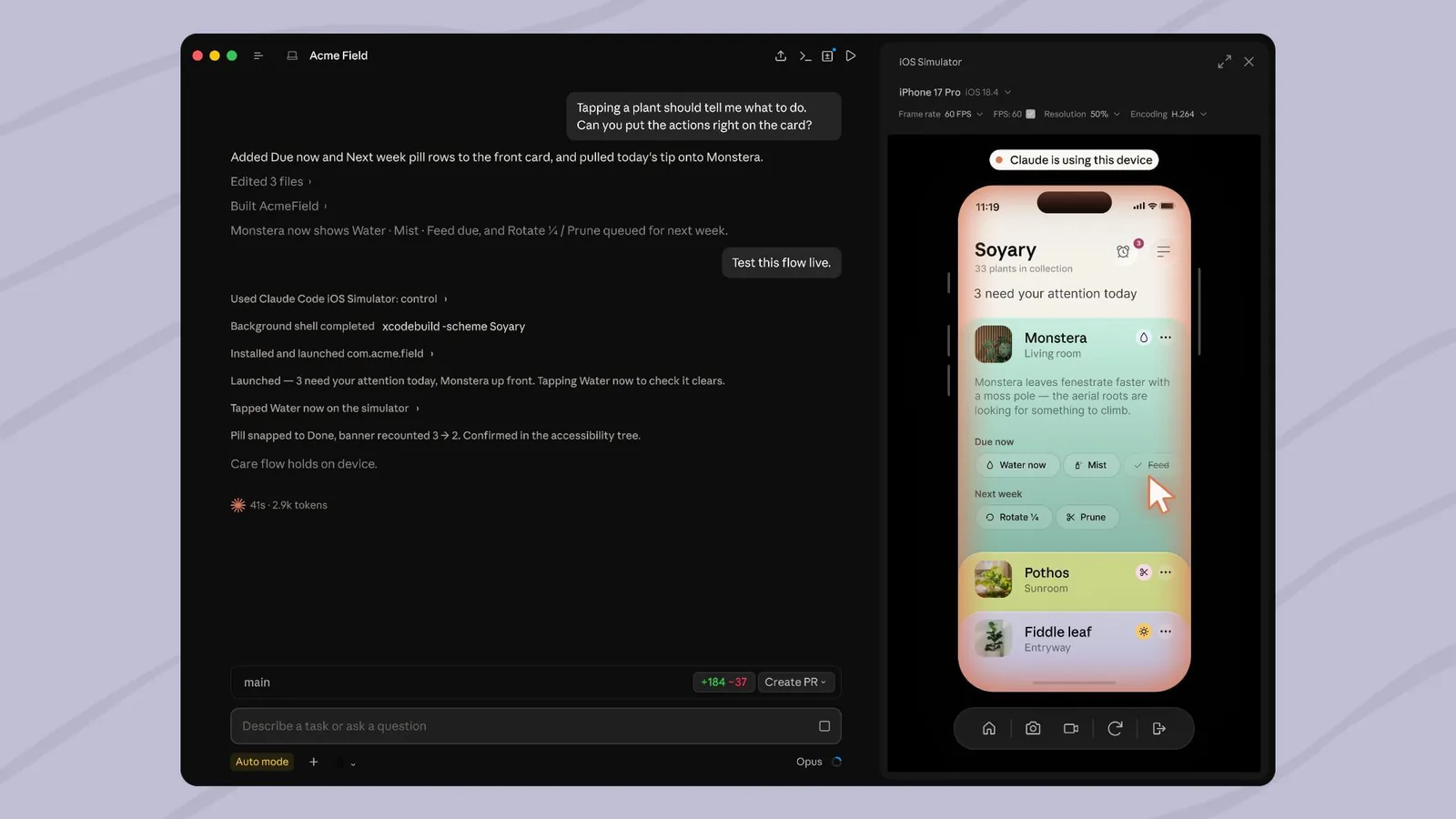
Anthropic has updated its Claude Code desktop application to enable direct integration with Apple's iOS Simulator, a significant move that allows developers to build, run, and test iOS applications without leaving the AI's interface. This new functionality, currently available in public beta, allows Claude Code to open and interact with in-progress apps directly within the iOS Simulator pane.
Developers can now instruct Claude Code to build, run, or check an application, and then watch the iOS Simulator operate live as the AI interacts with it. This enables a more seamless iteration process, allowing projects to be completed more efficiently. Crucially, developers can continue using the iOS Simulator as Claude Code works, with the simulator pane directly controlled by the AI. This eliminates the need for separate computer use or the macOS Accessibility and Screen Recording permissions typically required for external control of the simulator.
The direct access means Claude can control the simulator's screen in a manner analogous to a human user. Screenshots taken by Claude of the device within the iOS Simulator are sent to Anthropic and are retained according to standard conversation retention policies. Anthropic advises users to avoid signing into real accounts on any simulated device that Claude is actively using.
Enhanced Developer Workflow
This integration streamlines the development cycle for iOS applications. Previously, developers using AI coding assistants would often need to manually transfer code, switch between applications, and conduct testing separately. The Claude Code and iOS Simulator integration aims to bring these distinct steps into a unified environment. This could significantly reduce the time and effort required to move from an idea to a functional app prototype.
The feature is accessible via Claude Code Desktop on macOS, and users must have Xcode with the iOS platform installed. The simulator pane is exclusively available for local sessions. Detailed instructions on how to utilize the iOS Simulator with Claude Code are provided on Anthropic's official website, guiding users through setup and usage.
This advancement highlights the growing capabilities of AI in specialized professional workflows. As AI models become more sophisticated, their ability to interact with and control existing software environments directly offers a glimpse into future developer tools. The capability for an AI to not only generate code but also to build, run, and debug it within a target environment represents a substantial leap in productivity potential.
The reliance on direct screen control without additional macOS permissions is a key technical achievement. It suggests a more sophisticated understanding of the user interface and interaction models by Claude. This could pave the way for similar integrations with other development environments and operating systems, further blurring the lines between AI assistance and direct user action in software development.