
Gemini in Chrome for Android Now Available in US
Google has officially rolled out Gemini in Chrome for Android users across the US. The AI assistant, accessible via a toolbar shortcut, can summarize web pages and answer questions about content.

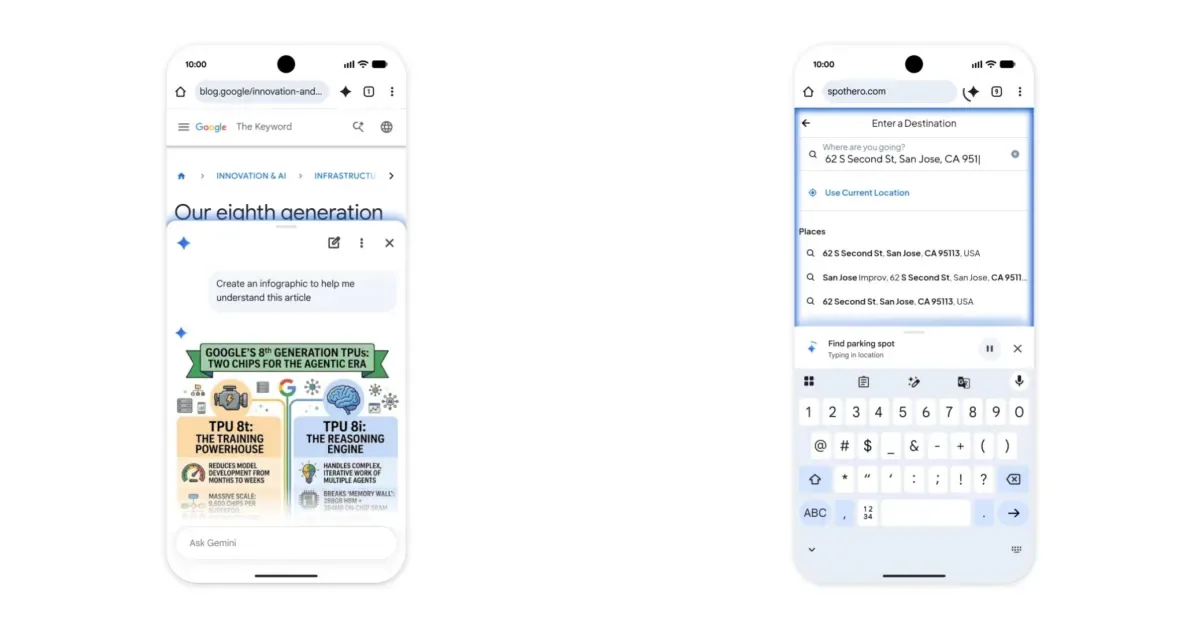
Google has officially launched Gemini in Chrome for Android users throughout the United States, following a preview period that began in May. This new feature integrates the powerful Gemini AI directly into the Chrome browser, offering users an enhanced browsing experience. The AI assistant is accessible through a dedicated toolbar shortcut located to the right of the address bar, or alternatively, via the three-dot overflow menu situated near the bottom of the screen.
Upon activation, a familiar interface slides up, closely mirroring the desktop version of Gemini. Users have the option to include their current web page as context for prompts, with a setting to disable this feature if preferred. The tools menu within Gemini allows for the management of 'Personal Intelligence' capabilities, which can connect with services like Calendar, Keep, and other integrated applications. For convenience, the Gemini sheet can be minimized and docked to the bottom of the screen, allowing users to multitask effectively.
Enhanced browsing and productivity tools
Gemini in Chrome is designed to streamline web navigation and information retrieval. It can efficiently summarize lengthy web pages, providing users with concise overviews, and answer specific questions related to the content being viewed. Furthermore, integration with 'Nano Banana' technology enables users to edit images directly within the browser. For subscribers of Google AI Pro and Ultra, an advanced 'auto browse' feature is now available. This capability allows the AI to autonomously handle complex, everyday tasks. Examples provided by Google include booking event parking, modifying recurring online orders, and meticulously organizing travel plans for upcoming vacations. Google has emphasized that sensitive actions, such as purchases, will always require explicit user confirmation before execution, ensuring security and control.
This rollout signifies a significant step in Google's strategy to embed its AI capabilities across its product ecosystem. By bringing Gemini into Chrome on Android, Google aims to make AI assistance more ubiquitous and seamlessly integrated into users' daily digital lives. The ability to interact with web content contextually, coupled with the potential for autonomous task completion, suggests a future where browsing becomes more interactive and less labor-intensive. The integration of tools like Calendar and Keep into the AI's purview further enhances its utility as a personal assistant, promising to boost productivity for a wide range of users.
The introduction of Gemini in Chrome on Android devices reflects a broader trend in the technology industry towards more intelligent and proactive digital tools. As AI models become more sophisticated, their integration into everyday applications is expected to accelerate, transforming how individuals interact with information and manage their digital tasks. The focus on user control for sensitive operations underscores the ongoing challenge of balancing AI's potential with the need for privacy and security. This launch is poised to set a new standard for browser-based AI assistance and task automation.