
Cricut Joy 2 Review: Affordable Craft Machine Rekindles Creativity
The Cricut Joy 2, a $99 smart cutting machine, offers an accessible entry point for hobbyists looking to reignite their creative spark. Despite a learning curve, it delivers satisfying results for stickers, cards, and more.

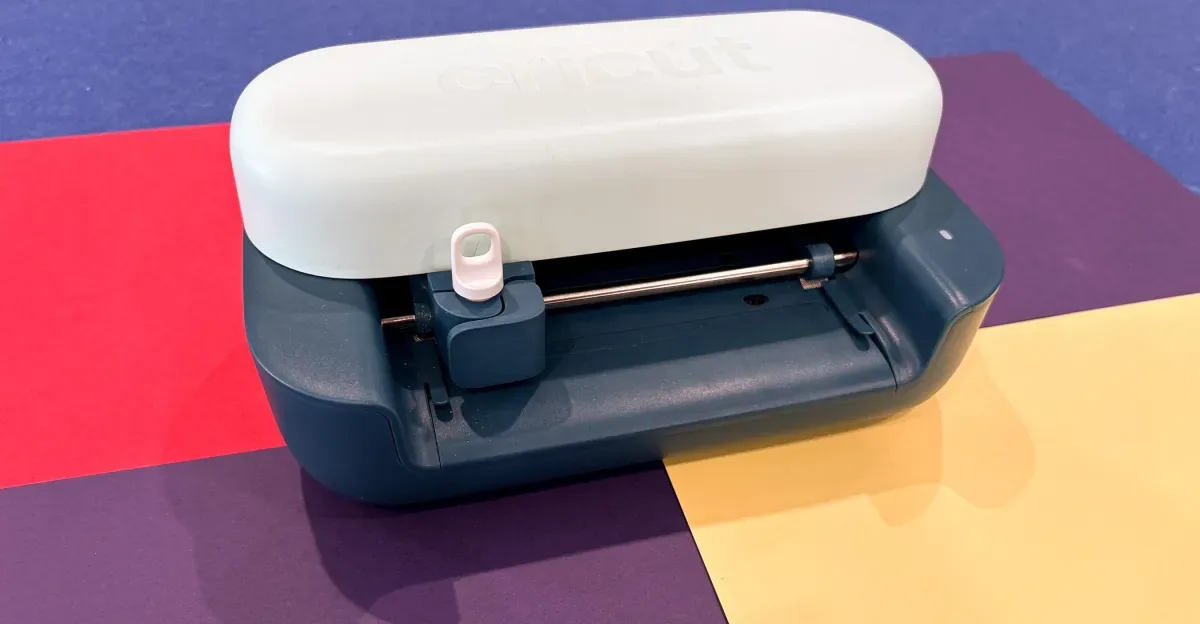
The $99 Cricut Joy 2 smart cutting and drawing machine has emerged as a surprising catalyst for creativity, particularly for those who have struggled to find time or motivation for crafting. Over a three-week testing period, the compact gadget proved effective at enabling the creation of personalized stickers, cards, and bookmarks, offering a user-friendly experience that rekindles artistic pursuits.
While the device isn't without its minor drawbacks, particularly in its initial onboarding process, its core capabilities and the wealth of templates available through the accompanying app were precisely what many hobbyists seek. For individuals facing challenges like caregiving responsibilities, self-criticism, or mental health struggles, the Cricut Joy 2 provides quick creative victories.
The reviewed package was the Cricut Joy 2 Ultimate Plus Bundle, typically priced at $229, which includes a variety of accessories such as smart vinyl, iron-on sheets, and a fine-point blade. Setting up the machine and its associated Design Space software – available on desktop and mobile platforms – was remarkably swift, with the first test cut completed in under 30 minutes. The visual spectacle of the machine precisely cutting a design was an immediate highlight, evoking excitement.
However, the app's initial guidance could be more intuitive. For a product marketed towards beginners, discerning the next steps or fully leveraging the hardware's potential isn't immediately obvious. Issues like correctly placing materials on the cutting mat or aligning them can present a minor hurdle for newcomers to the craft.
Navigating the Design Space Software
Early attempts to create designs from scratch were met with frustration and wasted materials, partly due to the Design Space interface. Helpful tutorials and project checklists are often found at the bottom of the landing page, and instructions are primarily text-based, which may not suit visual learners. This is somewhat counterintuitive given Cricut's extensive library of clear, digestible YouTube tutorials.
To its credit, Cricut offers a 30-day free trial of Cricut Access, a subscription service that costs $9.99 per month thereafter. Access unlocks a vast collection of templates and projects created by Cricut and other users, offering a structured approach for those who appreciate guidance. Crucially, the subscription also provides instruction on using the Joy 2's materials and tools, marking a turning point in the testing experience.
With clearer instruction, projects became more streamlined, and the satisfaction of transforming a digital design into a physical product within minutes was consistently achievable. The Cricut Joy 2 excels with simpler projects, though it can accommodate more complex ones with manual intervention. For instance, multicolor designs require separate cuts for each layer, followed by manual assembly, demanding patience and precision.
The device's "print then cut" feature is particularly useful for creating stickers or iron-on transfers. Users can print full-color designs using any standard inkjet or laser printer, and the Joy 2 precisely cuts them out. The process involves uploading a design to the Design Space app, which adds cut lines. The printed sheet is then fed into the machine, which scans and executes the cuts accurately. While the Joy 2 can technically handle larger projects like wall decals or full-shirt graphics, its cutting width is limited to approximately 4 to 4.5 inches per pass. Larger designs necessitate splitting them into sections, manual cutting, and subsequent assembly.
For users intending to create larger designs more frequently, the $199 Cricut Explore 5 might be a more suitable investment. The higher-end $349 Cricut Maker 4 is designed for thicker materials like fabric and leather and offers additional capabilities such as engraving and debossing. Despite the initial learning curve associated with its software, the Cricut Joy 2 remains a fun, affordable, and recommendable gadget for reigniting a passion for making.