
Pixel 11 Pro Users Gain Full Control Over 'HiLight' LED Feature
Independent developers have unlocked full control over the Pixel 11 Pro's 'HiLight' LED, allowing for custom colors, patterns, and app-specific notifications beyond Google's limited native functionality.

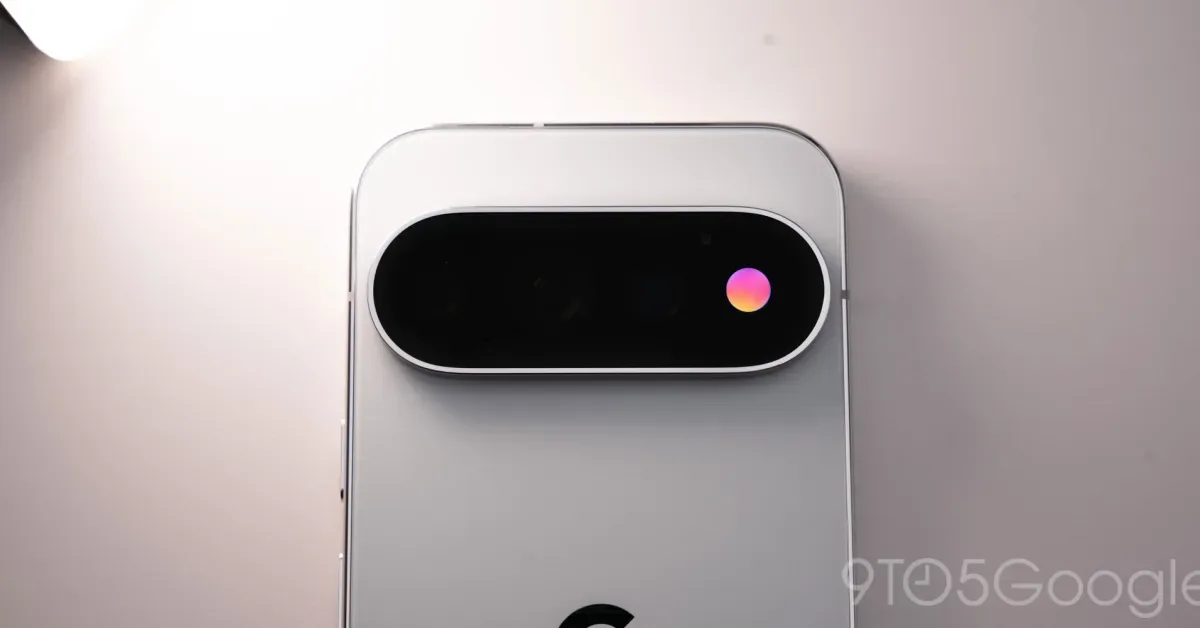
Independent developers have found a way to unlock the full potential of Google's new 'HiLight' LED feature on the Pixel 11 Pro, granting users extensive customization options that go far beyond the limited capabilities provided by the tech giant. This breakthrough allows the distinctive RGB light, a prominent hardware addition to the latest Pixel flagship, to function as a versatile notification indicator.
The app, dubbed 'HiLight Studio,' was developed by Dhananjay (@Dhananjay_Tech) and enables users to assign custom colors and patterns to the 'HiLight' LED for various alerts. This significantly expands its utility beyond Google's initial implementation, which primarily focused on call notifications and status updates for its Gemini AI assistant. Users can now configure the LED on a per-app basis, with granular settings to fine-tune specific notifications, a level of control previously unavailable.
Google had indicated that the 'HiLight' feature would not be opened up to third-party developers. However, the ingenuity of the Android community has circumvented this limitation. 'HiLight Studio' allows for dynamic notifications, custom color palettes, and even the creation and sharing of notification presets among users. For those who prefer a constant visual cue, the LED can also be set to remain active at all times.
Expanding the 'HiLight' Functionality
While Google's native support for the 'HiLight' LED on the Pixel 11 Pro is quite restricted, focusing mainly on incoming calls and Gemini interactions, 'HiLight Studio' transforms it into a highly functional notification hub. The app provides a comprehensive suite of customization tools, enabling users to create unique lighting profiles for different applications and contacts. This includes setting specific colors and animation patterns for each app, turning the phone's notification system into a more visually informative experience.
The ambition behind 'HiLight Studio' appears to mirror what many users hoped the 'HiLight' feature would become: a truly adaptable and useful notification LED. The ability to build and export custom presets also fosters a community aspect, where users can share their creative lighting configurations, enhancing the shared experience of owning a Pixel 11 Pro. It represents a significant leap in leveraging the hardware's capabilities, showcasing the power of aftermarket development in the Android ecosystem.
However, the path to achieving this enhanced functionality is not without its challenges. The setup process for 'HiLight Studio' is described as complex. It requires users to manually sideload the application from GitHub and utilize tools like Shizuku and ADB (Android Debug Bridge) for installation and configuration, often necessitating a computer connection. Furthermore, the application needs to be reactivated after every phone reboot, a reminder of the advanced permissions and workarounds involved.
This workaround highlights how Google's software decisions can sometimes limit hardware potential, a recurring theme with new features. The fact that a fully functional alternative emerged so quickly after the Pixel 11 Pro's release underscores the demand for greater user control. It also fuels speculation that Google might eventually integrate similar advanced customization options directly into the official software, a move eagerly anticipated by many users who see the 'HiLight' LED's untapped potential.
Users installing third-party applications that require advanced permissions, such as 'HiLight Studio,' are advised to proceed with caution. The complexity and reliance on external tools mean that installation should be undertaken at one's own risk. Nevertheless, the development is a compelling demonstration of what's possible when developers push the boundaries of smartphone customization, turning a potentially underutilized hardware feature into a genuinely useful tool for Pixel 11 Pro owners.