
YouTube TV App Refreshes Sidebar for Easier Library and Channel Access
The YouTube app for Google TV and other platforms is rolling out a new sidebar design. This update aims to simplify access to user libraries and recently viewed channels, streamlining the viewing experience.

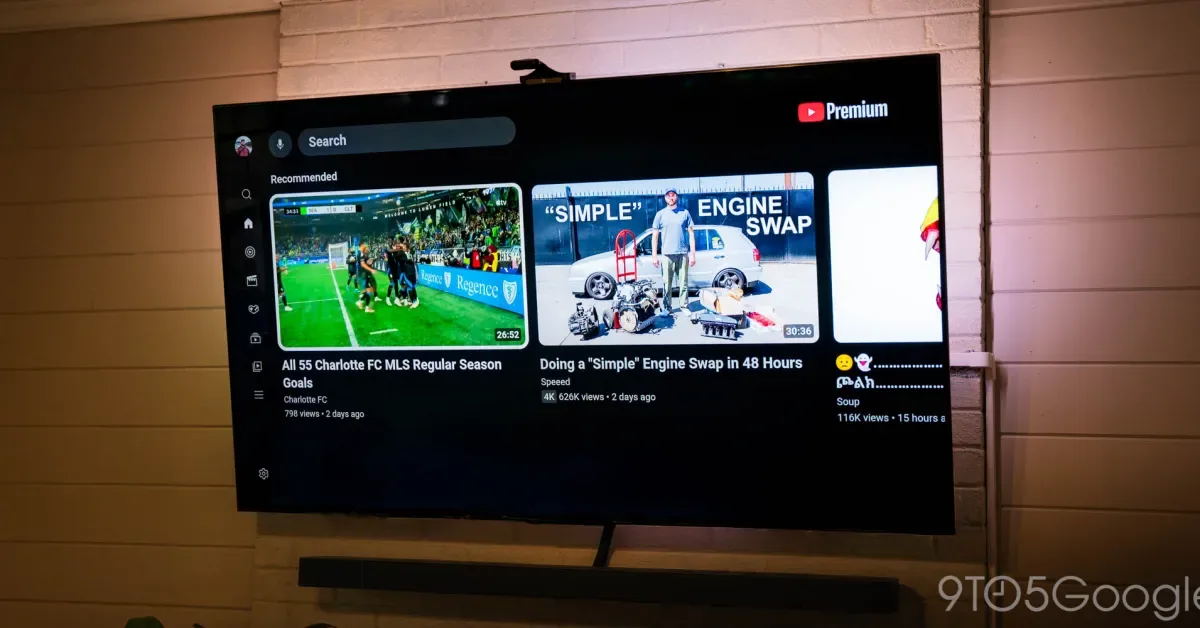
The YouTube application for televisions, including those running on Google TV, is now deploying a revised design for its side navigation menu. This update is intended to make accessing a user's content library and recently viewed channels more straightforward, offering a more streamlined experience for viewers.
The current sidebar on the YouTube TV app features a top-to-bottom list that includes shortcuts for Search, Home, Music, Movies & TV, Podcasts, Subscriptions, Library, and a 'More' option, with a Settings shortcut positioned at the very end. While functional, this arrangement often necessitates multiple clicks to reach frequently accessed sections like Subscriptions and Library.
The revamped sidebar maintains Search and Home at the uppermost positions. Beneath these, a new section has been introduced that groups Subscriptions and Library together. This new area also incorporates direct shortcuts to two channels, though the exact criteria for their inclusion—whether they are recently viewed, recently subscribed to, or algorithmically selected—remains unclear. These channel shortcuts are visible even when the sidebar is in its collapsed state.
Enhanced Navigation for Content Discovery
Further down the updated sidebar, users will find shortcuts for News, Live, Podcasts, Music, Gaming, and Sports. The specific options displayed in this section appear to vary depending on the television model and user preferences. A dedicated Settings button continues to be located at the bottom of the navigation pane.
This user interface modification is being implemented server-side, meaning it is appearing for users without requiring a manual app update. Reports of the new design have emerged from users on platforms such as Google TV and Samsung TVs, indicating a broader rollout across different device ecosystems. This represents a significant, albeit subtle, improvement for users who frequently engage with their YouTube subscriptions and saved content.
The move reflects YouTube's ongoing efforts to refine its user experience across various platforms. Enhancements to navigation and content accessibility are crucial for maintaining engagement in the competitive streaming landscape. By making key features more prominent and reducing the steps needed to access them, YouTube aims to improve overall user satisfaction and encourage deeper exploration of its vast content library.
The broader context for this update involves the ever-evolving nature of digital content consumption. As users spend more time on streaming platforms, the interface's design plays a critical role in their viewing habits. Simplified navigation can lead to increased watch time and greater interaction with features like subscriptions and personalized libraries. This particular update, focusing on the TV app, addresses a primary viewing environment for many users, suggesting a strategic focus on optimizing the experience for living room entertainment.