
Googlebook Gets True Desktop with App Icons, Gemini Widgets
Google's new Googlebook laptops are introducing a long-awaited traditional desktop experience, complete with app icons and customizable, AI-powered widgets.

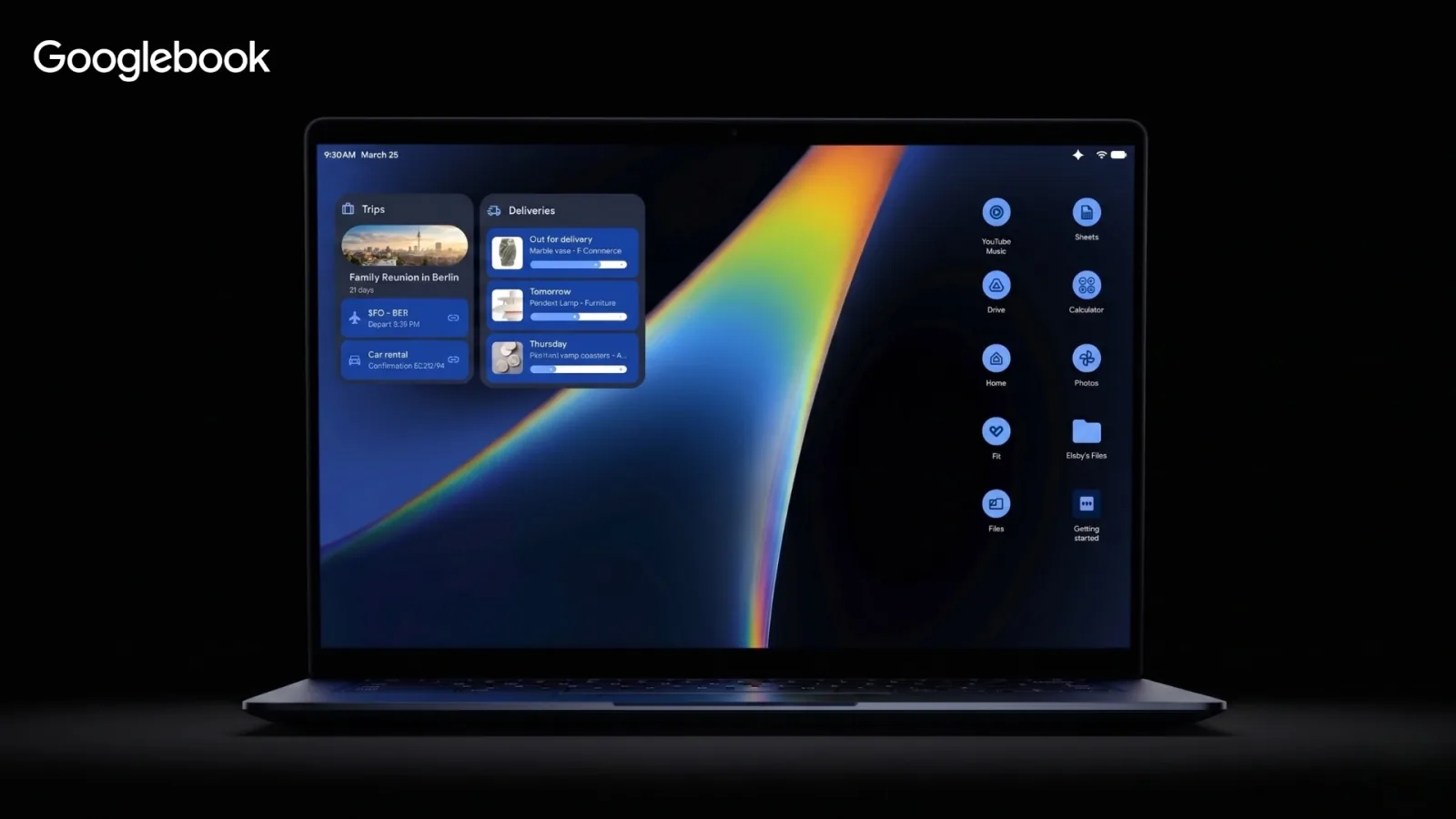
Google is finally bringing a traditional desktop experience to its laptops with the new Googlebook, a significant update for ChromeOS users long accustomed to a minimalist interface. The updated operating system will now allow users to place app icons and customizable widgets directly onto their desktop, bridging the gap between mobile applications and conventional desktop computing.
For over a decade, ChromeOS desktops have largely served as a backdrop, offering a clean, distraction-free environment. While this approach appealed to many, users migrating from Windows or macOS have consistently requested a more functional space for organizing their workflows. The new Googlebook addresses this demand by providing a robust workspace that allows for direct interaction with applications and files.
The ability to right-click and create folders, or drag native Android apps directly to the desktop, represents a fundamental shift in how users will interact with these devices. This enhancement aims to integrate the vast Android app ecosystem more seamlessly with the traditional laptop computing experience, a feature that has been anticipated for years.
AI-Powered Widgets Transform the Desktop
Beyond simple app shortcuts, the introduction of intelligent widgets marks one of the most exciting additions. During the Googlebook announcement, the platform showcased a novel "Create My Widget" feature. Unlike static widget options, this tool leverages Google's Gemini AI to generate custom, at-a-glance dashboards tailored to individual user needs.
These intelligent widgets can pull information from various sources, such as a personalized travel itinerary countdown from Gmail or detailed, hyper-local weather forecasts for an upcoming event. By placing these dynamic displays directly on the desktop, the Googlebook transforms what was previously an empty space into a personalized command center, offering quick access to essential, real-time information. This integration of artificial intelligence is poised to make the Googlebook feel like a truly mature computing platform.
This development, while seemingly minor compared to major AI advancements or premium hardware features, represents a foundational shift for the operating system. The added utility and quick access provided by the new desktop functionality cater to users who desire more from their computing experience. For those who prefer the clean aesthetic, the minimalist desktop option will remain available. However, for the majority seeking enhanced productivity and immediate access to their most critical tools, the era of the functional Googlebook desktop has officially arrived in 2026.