
Siri AI Transforms Apple Watch Into True Wrist Computer
Apple's watchOS 27 beta introduces an upgraded Siri AI, making the Apple Watch a more capable wrist computer by integrating phone and watch experiences seamlessly and enhancing app interaction.

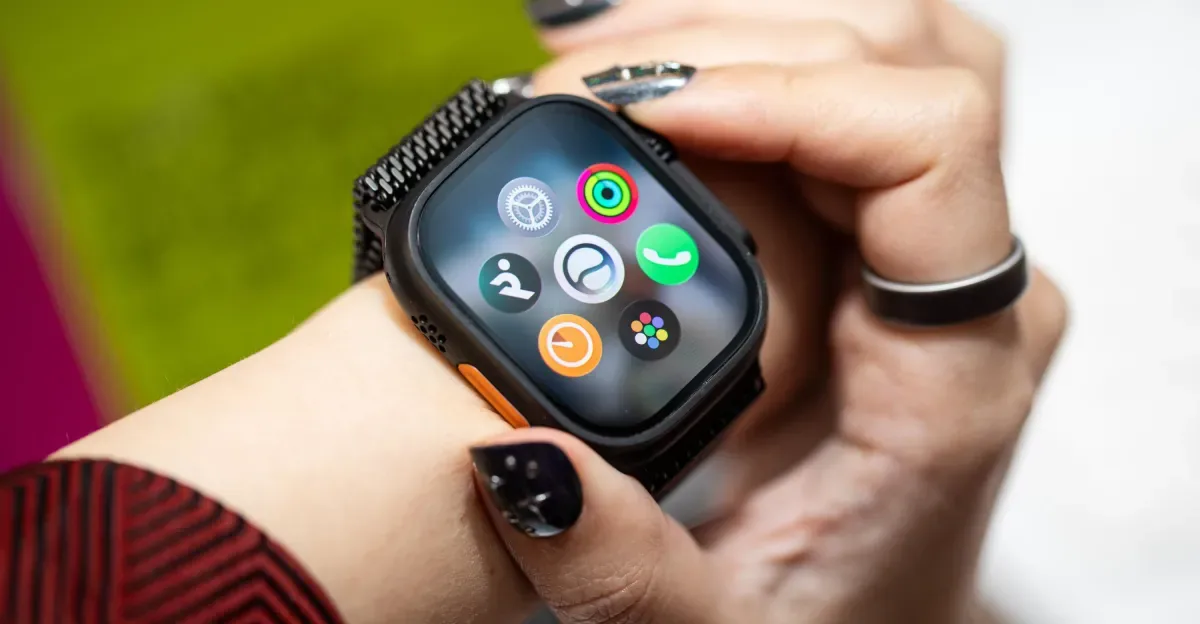
The latest developer beta for watchOS 27 signals a significant evolution for the Apple Watch, primarily through the integration of a more sophisticated Siri AI. Previously, Siri on the Apple Watch served a limited role, often relegated to setting timers or checking the weather. However, this upcoming update aims to transform the device into a more powerful wrist-based computer, bridging the gap between phone and watch functionalities.
A key objective of the watchOS 27 update is to unify the Siri experience across Apple devices. "Our main goal with the integration with Watch is to make sure that that experience was consistent. What we don’t want is the user having this experience where they ask Siri in one place, and they get a different answer if they ask [in] another," explained David Clark, Apple’s senior director of software engineering for watchOS. "By having the watch tightly connected with the phone, having that personal context drive the whole experience, we can start setting the expectation that it’s one Siri AI." This cohesive approach aims to prevent the user confusion that can arise from fragmented AI assistant experiences, a common issue with other smartwatches.
This new integration is particularly notable when compared to the challenges faced with other AI assistants on competing smartwatches, such as Google's Gemini on devices like the Pixel Watch 4 and Samsung Galaxy Watch 8. Users often struggled to determine when to use the AI on their wrist versus their phone for complex queries or app-dependent tasks. For instance, prompts like creating specific playlists or sending text messages with location details proved cumbersome on other platforms. Siri AI on the Apple Watch, conversely, appears more adept at handling a wider range of requests and is upfront about its limitations, often suggesting alternative actions.
Enhanced Functionality and Contextual Awareness
The upgraded Siri AI on the Apple Watch allows for more complex interactions, moving beyond simple commands. Users can now leverage Siri AI to access and manage notes and reminders stored on their iPhone or MacBook, streamlining tasks like shopping or list management. For example, a user could ask Siri AI to display a shopping list from the Reminders app while browsing a store, checking off items directly from the watch. This ability to initiate tasks on the wrist and seamlessly continue them on a larger device, or vice versa, enhances productivity and convenience.
While the AI assistant is still subject to latency and benefits from specific phrasing for optimal results, its expanded capabilities make it a more integrated part of the Apple ecosystem. The queries made on the Apple Watch are now mirrored in the phone's app, creating a unified record of interactions. This reflects a broader trend in wearable technology where devices are becoming less about passive monitoring and more about active computing and seamless integration.
Beyond Siri AI, watchOS 27 introduces improvements to the Workout Buddy feature. This AI-powered fitness coach, which previously focused on surfacing milestones, now offers deeper trend analysis and expanded insights. "This year we’ve added facts that look even deeper at your trends, not just based on today’s workout versus historic [ones]," Clark said. "If you’ve just conquered a hill, put in a little extra sweat, we’ll know that the pace you achieved was in spite of elevation, and so it’ll congratulate you for hitting the top of that hill and keeping on going." While not offering direct health recommendations, Siri AI can provide AI-powered answers to health-related questions, acting as an informational resource.
Other notable features in watchOS 27 include a new App Launcher, providing quick access to frequently used or recently opened applications, and an enhanced gesture control system. The single-tap gesture, for example, simplifies interaction, allowing users to select items with a simple tap. Combined with existing gestures like the pinch-to-scroll and wrist-flick, these updates enable more intuitive, one-handed operation of the smartwatch.
The culmination of these updates—Siri AI, refined gestures, and smarter app management—transforms the Apple Watch from a peripheral device into a more independent and capable wrist computer. While the transition to relying on these new capabilities may require a period of habit formation, the overall direction points toward a future where smartwatches offer a more comprehensive computing experience directly from the wrist.